A practical comparison of Sony’s standard and premium PS5 controllers.
DualSense Edge vs DualSense: Is It Worth Paying More?
Affiliate disclosure: Money no Sofá may earn compensation from qualifying purchases made through partner links on this page.
The DualSense Edge is not a better version of the standard DualSense for everyone. It is a more configurable controller built for players who know why they want extra buttons, adjustable triggers, swappable profiles, and replaceable stick modules. If those features sound abstract rather than useful, the standard DualSense is probably the smarter purchase.
In 2026, Sony still lists the DualSense Edge around the $199 premium-controller tier, while standard DualSense pricing is dramatically lower. That makes this less of a controller comparison and more of a use-case test.
Quick verdict
Buy DualSense Edge if you play competitive shooters, sports, racing, fighting games, or other titles where remapping and rear controls change how you play. It also makes sense if you switch control profiles often or value replaceable stick modules.
Buy standard DualSense if you mostly play single-player games, do not remap controls, want longer battery life per dollar, or would rather buy two standard controllers for shared play than one premium pad.
What both controllers already do well
The standard DualSense is not basic. It already includes adaptive triggers, detailed haptic feedback, motion controls, a touchpad, built-in microphone, USB-C charging, and the layout PS5 games are designed around.
For games like Marvel’s Wolverine, Astro Bot, Spider-Man, and other cinematic PlayStation releases, those core features are already present. You do not need the Edge to experience the controller effects developers build into PS5 games.
What the Edge adds
The Edge adds rear buttons, adjustable trigger stops, remappable controls, multiple saved profiles, interchangeable stick caps, and replaceable stick modules. It also ships with a carrying case and accessories that make it feel like a professional tool rather than a standard pack-in controller.
The biggest practical feature for many players is the rear controls. They let you perform actions without taking your thumbs off the analog sticks. In a shooter, that can mean jumping, crouching, reloading, or switching functions while maintaining aim.
Watch before you buy
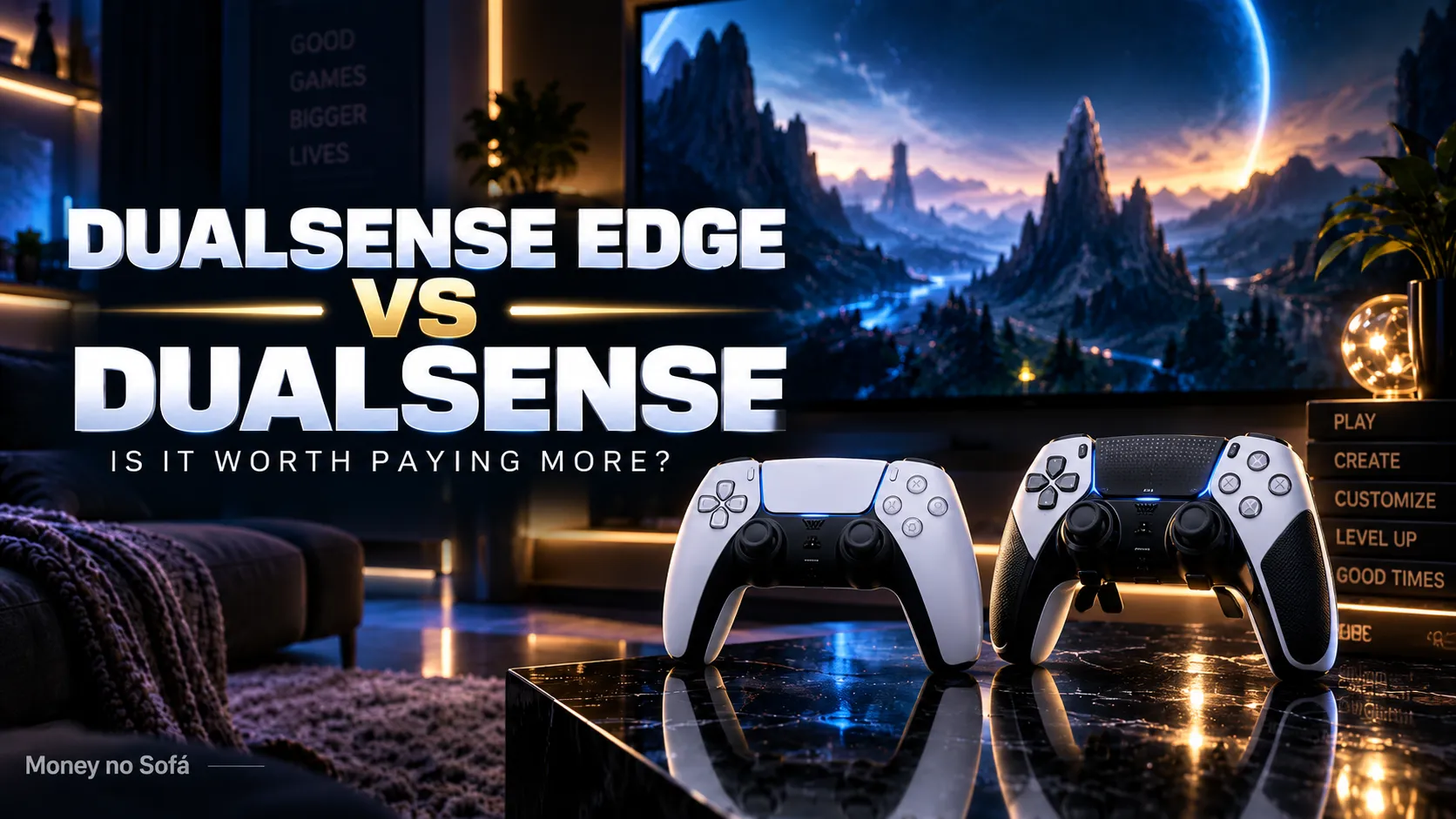
Pay attention to how often the reviewer actually uses the extra controls. If your own games and habits would not take advantage of them, the premium hardware is unlikely to justify itself.
Rear buttons are the strongest reason to upgrade
Once players get used to rear buttons, some do not want to go back. Keeping both thumbs on the sticks can improve movement and camera control in competitive games. It can also reduce awkward finger combinations in games with complex control schemes.
But there are only two rear inputs on the Edge. Some competing pro controllers offer four. Whether that matters depends on your games and muscle memory.
Trigger stops matter for certain genres
Adjustable trigger travel can shorten how far L2 and R2 move before registering. That is useful in shooters where a faster trigger pull can feel more direct. In racing games or cinematic titles that use adaptive trigger resistance, you may prefer full travel.
This is why profiles matter. You can create a fast competitive setup and then switch back to a more immersive configuration for single-player games.
Replaceable stick modules are useful—but not a free fix
Stick drift is one of the most frustrating controller failures because it can make an otherwise functional pad unusable. The Edge lets you replace the stick module rather than the entire controller.
That is genuinely useful, but the modules cost money and availability can vary. The feature reduces the pain of a future failure; it does not make the controller immune to wear.
Battery life is the biggest compromise
The Edge’s battery endurance has historically been weaker than the standard DualSense. If you play long wireless sessions, that matters. A premium controller should ideally reduce friction, and frequent charging can create a new one.
The included braided USB cable and locking connector make wired play easy, but buyers who specifically want long untethered sessions should factor this into the decision.
Is the Edge better for Marvel’s Wolverine?
Not automatically. Wolverine is a single-player action game and the standard DualSense already supports adaptive triggers and haptics. You might enjoy mapping dodge or another action to a rear button, but that is convenience rather than necessity.
If Wolverine is the only reason you are considering Edge, keep the standard controller. If Wolverine is one title in a wider library that includes competitive games, the premium features make more sense.
One Edge or two DualSense controllers?
This is one of the best ways to think about value. A household that plays local multiplayer may get more use from two standard controllers than one Edge. A solo competitive player may prefer one Edge because every session benefits from its customization.
Count users before counting features.
Who gets the most value?
Competitive shooter players: rear buttons and short trigger travel are directly useful.
Players with accessibility or comfort preferences: remapping can make certain control schemes easier to use.
People who switch genres often: saved profiles reduce repeated setup work.
Enthusiasts who keep controllers for years: replaceable stick modules may reduce the cost of some failures.
Who should save the money?
Casual or single-player-focused users. Standard DualSense already delivers the core PS5 experience.
Families needing multiple controllers. Quantity can create more value than customization.
People sensitive to battery life. The Edge’s endurance is not its strongest feature.
Anyone buying because “pro” sounds future-proof. A premium controller does not improve graphics or make a console faster.
What about third-party pro controllers?
Third-party options can offer different layouts, four rear buttons, Hall-effect or alternative stick technologies, and different ergonomics. The Edge’s advantage is tight integration with the PS5 interface and Sony’s own hardware ecosystem.
If you are spending around $200, compare the entire premium-controller market rather than assuming the official option must be best for your hands.
MNS verdict
DualSense Edge is worth it when customization changes how you play. Standard DualSense is the better value when it does not.
The Edge is not a must-have PS5 accessory. It is a specialist tool. Specialists love tools that save small amounts of effort hundreds of times. Everyone else can keep the money.
COMPARE DUALSENSE EDGE AND DUALSENSE →
DualSense Controllers: compare the real options
Affiliate links. Compare exact model, seller, warranty, return policy and live price before buying.
FAQ
Does DualSense Edge improve graphics or performance?
No. It changes control and customization, not console performance.
Can you replace the sticks?
The Edge supports replaceable stick modules and interchangeable stick caps.
Is Edge necessary for competitive gaming?
No, but rear buttons and trigger adjustments can be useful advantages for some players.
Is it worth it for single-player games?
Usually only if you value remapping and premium customization across many games.
Read next
Best PS5 Accessories Worth Buying →
PlayStation Portal Worth It? →
VIEW ALL BEST PICKS →
The headline is only the start.
Ask Nova what this story could change in your budget, savings, debt, investments or next purchase.